
Why Scan Quality Matters in AI-Assisted CPAP Mask Fitting
A CPAP mask fitting result is only as useful as the scan behind it. MaskFit AR is designed to guide the user through a structured face scan, check scan quality, account for real-world lighting and skin-tone differences, measure important nostril features, and create a top match list without saving, storing, or transmitting patient images.
Digital mask fitting starts with a better scan
Digital CPAP mask fitting can happen in many settings. A scan may be completed in a clinic, at a DME location, in a physician office, at home, or through a secure patient link. In each case, the goal is the same: capture useful facial information in a consistent way so the fitting result is easier to understand and use. Unlike a controlled studio, real-world scanning conditions vary. A patient may be in a bright room, a dim room, or a room with shadows. They may use a phone, tablet, laptop, or desktop camera. They may hold the device too close, too far away, or at a slight angle. These differences can affect how clearly facial features are captured. For this reason, scan quality is not just a design detail. It is a core part of the fitting workflow. A good digital fitting experience should guide the user, identify poor capture conditions, and avoid turning weak scan input into a result that appears more certain than it should be.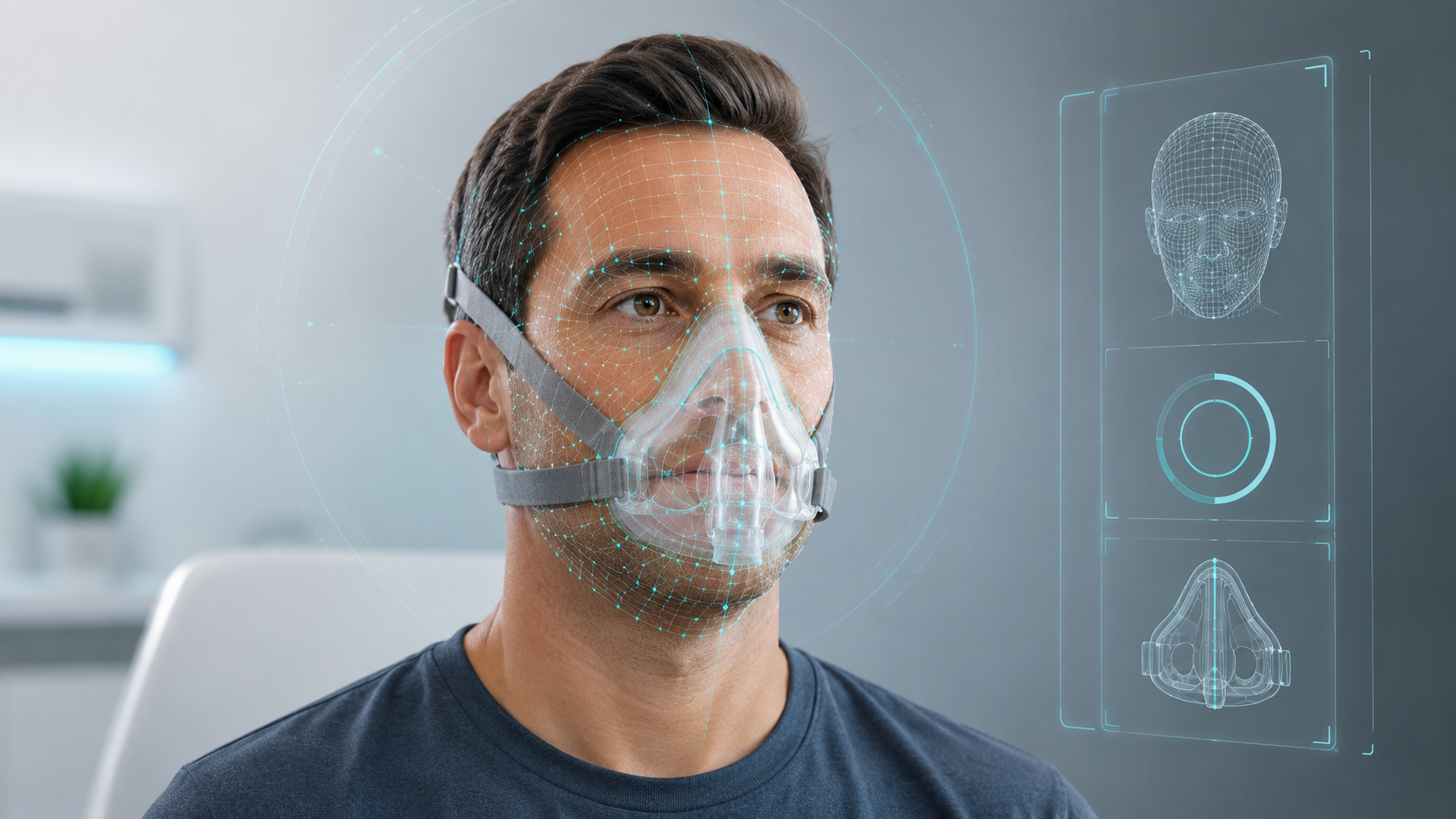
Why scan quality matters
Patients, clinicians, and partners expect a fitting result to be clear and easy to understand. In real-world settings, lighting, camera angle, and positioning can vary. That is why a digital fitting workflow should guide the user and include quality checks before results are shown. This matters because CPAP mask selection is personal. Comfort, seal, mask style, face shape, and user preference all play a role. MaskFit AR is designed to support the selection process by producing a structured top match list based on the scan and fitting workflow, while still leaving room for professional judgment and patient preference. The more consistent the scan process is, the more useful the output becomes for patients, clinics, DMEs, and partners.Common reasons scans can vary
Several practical factors can affect digital scanning in real-world settings:- Lighting: dim rooms, backlighting, glare, or harsh shadows can make facial features harder to capture clearly.
- Positioning: the face may be too close, too far, off-center, or partly outside the camera view.
- Head angle: tilt or rotation can change how facial features appear to the camera.
- Device differences: cameras, browsers, operating systems, and screen sizes can behave differently.
- Movement: users may move during the scan, which can create frame-to-frame variation.
How MaskFit AR addresses scan quality
MaskFit AR treats scan quality as part of the fitting process itself. The platform is designed to guide users through a structured face scan instead of relying on a single uncontrolled image. To make the scan easier to complete, MaskFit AR provides clear on-screen guidance and voice prompts throughout the process. This helps users follow each step more confidently and supports a more consistent capture experience. At a high level, the workflow helps confirm that the face is visible, positioned properly, and captured under usable conditions. It also uses multiple quality checks and validation steps to support a more stable fitting process. The goal is not to claim that every scan will be perfect. The goal is to make the scan process more controlled, more repeatable, and easier for users to complete correctly. When capture problems are identified early, the user can correct them before the top match list is generated.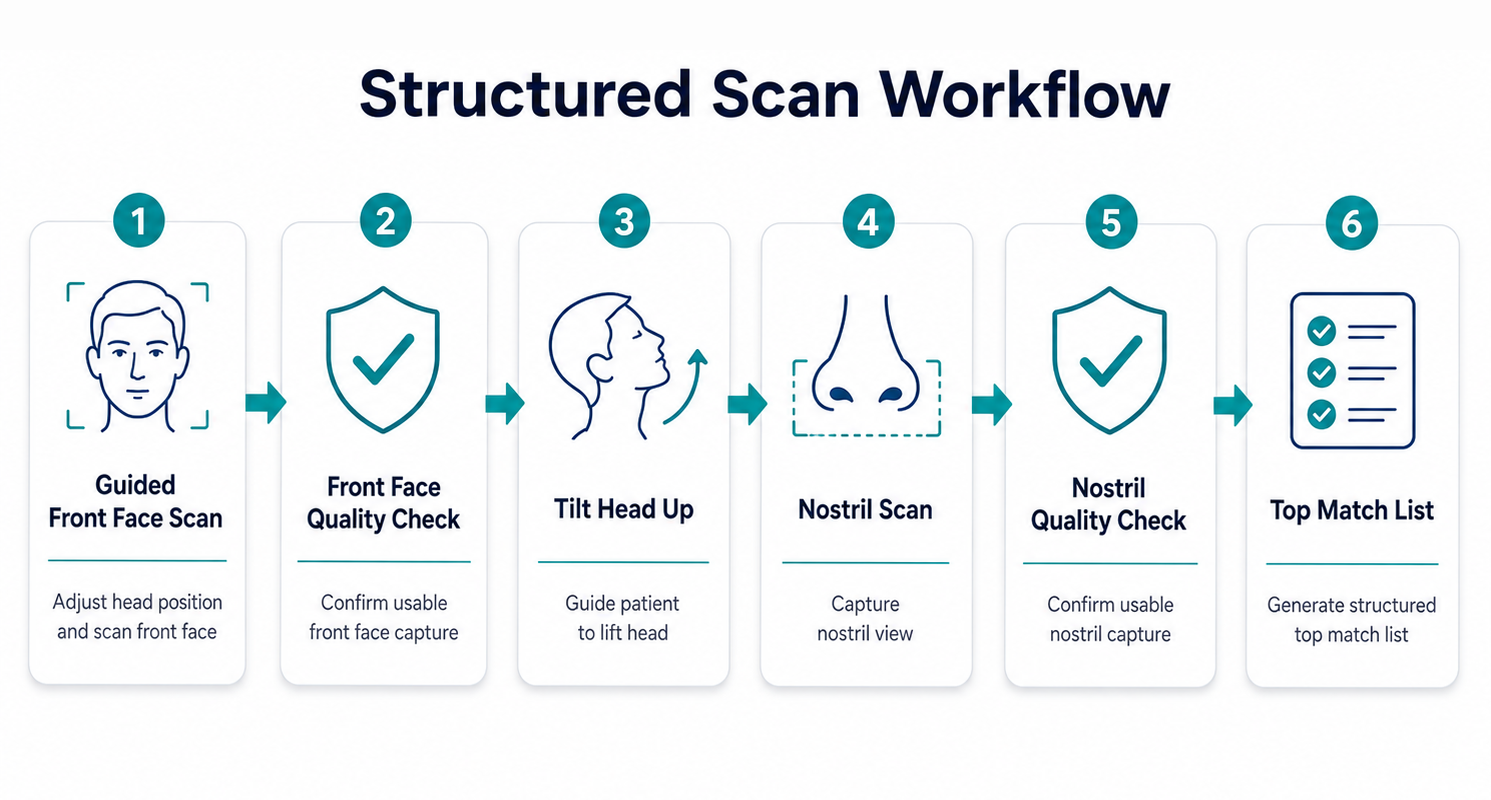
Why skin-tone-aware scan quality checks matter
Camera-based scanning depends on how clearly the system can capture key facial features. Skin tone can affect how facial contours, edges, shadows, and contrast appear to a camera, especially under real-world lighting conditions. MaskFit AR uses skin-tone-aware scan quality checks to help evaluate whether a scan has enough visible detail for an accurate fitting workflow. These checks account for differences in lighting, contrast, glare, and shadowing that may affect image clarity across different skin tones.
By considering these visual capture conditions, MaskFit AR helps support a more consistent scan experience for a wider range of users and reduces reliance on ideal lighting or perfect camera conditions.Why nostril measurement is important
Many digital fitting tools focus mainly on the outside of the face. That can be useful, but it does not always tell the full story for every CPAP mask type. For nasal masks, and especially nasal pillow masks, the nostril area can play an important role. Nostril shape, spacing, and size can influence how a mask interface sits under or near the nose. If this area is not considered, important details related to comfort, seal, and fit experience may be missed. Nostril measurement is technically difficult because the area is small, curved, shadowed, and sensitive to camera angle and lighting. Small changes in head position can affect what the camera sees. That is why measuring nostril features requires a carefully guided scan workflow, not just a basic face photo or simple face outline.A differentiated nostril measurement workflow
MaskFit AR includes a dedicated nostril measurement step as part of its scan workflow. This is one of the platform’s strongest technical differentiators. Rather than treating the nostril area as a minor detail, MaskFit AR is designed to include it as part of the fitting process. This helps create a more complete fit profile, especially for mask styles where the nose and nostril area play a larger role. The details of how this is done are proprietary. At a product level, the principle is simple: a better fitting workflow should consider the areas of the face that matter most to the mask interface.Why privacy matters
Face images are sensitive. Patients, clinics, DMEs, and partners need to know that a fitting tool is designed with privacy in mind. MaskFit AR is designed to create fitting-related data and scan-quality information without saving, storing, or transmitting patient images. This matters because it reduces unnecessary handling of facial images while still supporting the benefits of digital CPAP mask fitting.MaskFit AR is designed to use scan data for fitting without saving, storing, or transmitting patient images. This helps reduce unnecessary handling of sensitive facial imagery.